Custom AI Agent Development Services for Your Business Systems
FactoryJet is an AI agent development company for US businesses. We design, build, integrate and support custom AI agents that follow your business rules and complete multi-step work inside the systems you already run: NetSuite, SAP, Odoo, Salesforce, HubSpot, Zendesk and Shopify. A person approves anything that matters. You own the code.
AI Agent Development: The Short Answers
The six things buyers ask us first, answered before the sales part of the page.
What can an AI agent do for my business?
It takes one repeat job that follows your rules and does it inside your systems. Agents we build read RFQs and draft quotes in NetSuite or Odoo, answer order and return tickets for Shopify stores in Gorgias or Zendesk, qualify inbound leads into HubSpot, and chase open purchase orders with suppliers. It suits manufacturers, distributors, ecommerce brands and service firms that already run on real software.
What will it connect to?
The tools you already pay for. ERP: NetSuite, SAP Business One, Odoo, Microsoft Dynamics 365. CRM: HubSpot, Salesforce. Help desk: Zendesk, Gorgias, Intercom, Freshdesk. Commerce: Shopify, Shopify Plus, BigCommerce. Plus email, Slack and anything with an API. If a system has no API, we tell you on the first call, because that changes the plan.
How much does an AI agent cost?
As a market reference, development firm ProductCrafters puts 2026 custom AI agent builds at about $5,000 to $180,000+. The number of systems the agent reads and writes to moves the price far more than the AI model does. We quote a fixed price for your scope after one call. Our AI agent cost guide shows what moves the number, including monthly running costs.
How long does it take?
A pilot on one narrow workflow usually takes two to four weeks. A production agent with permissions, logging, approvals and monitoring usually takes six to twelve weeks. Most of that time goes into connecting your systems and testing edge cases.
What do I own when it is done?
Everything we build for you: the code in your own Git repository, the prompts, the test sets and the connectors. The agent can run in your own cloud account or on a dedicated server we manage for you. You pay the model provider, such as Anthropic or OpenAI, directly. There is no per-agent license from us, so you can keep us on for support or take the work in-house.
Who looks after it once it is live?
We do, if you want us to. Agents drift when your prices, policies or data change, so we watch accuracy, update prompts and models, and fix failures. That is what our AI agent monitoring and support work covers. We don't hand over a demo and disappear.
What Actually Matters Before You Hire an AI Development Company
An AI agent plans and acts across multiple steps. A chatbot answers one message at a time. If a vendor can't explain the difference, they're selling the second thing.
Most AI agent projects fail at integration, and the model is rarely the problem. The agent has to read your real data, follow your real policies and hold up through weeks of real use.
Cost follows the number of systems the agent has to read and write to. As a market reference, development firm ProductCrafters puts 2026 builds at about $5,000 to $180,000+. A narrow pilot takes two to four weeks. Our AI agent cost guide breaks down what it costs to build, run or rent one.
The three vendor categories are platforms (you build it yourself with LangGraph, CrewAI, or AutoGen), enterprise consultancies (large-scale, slow, expensive), and specialist agentic AI development companies (custom-built, production-focused, faster than a consultancy, more accountable than a platform). If you are not sure an agent is the right first project, our AI consulting services start with a readiness assessment and tell you.
FactoryJet is an AI agent development company in the third category. We build custom AI agents into your ERP, CRM and internal systems, with a human approval step wherever a wrong decision would cost you.

How to Choose an AI Agent Development Company
| Category | What they are | Best for | Trade‑off |
|---|---|---|---|
| Platforms & frameworks LangGraph, CrewAI, AutoGen | Tools and SDKs for building agents yourself | Teams with strong internal engineering | You own security, integration, and maintenance |
| Enterprise consultancies Accenture / IBM scale | Agentic AI as part of a larger transformation program | Large, regulated enterprises | Slower pilots, higher cost, less flexibility |
| Specialist development partners FactoryJet | Custom agents built and wired into your real systems | Mid-market teams that want a working agent without a platform to manage | Vendor diligence matters more, the category is still maturing |
Our comparison of ten AI agent development companies links each firm's published offer and gives you one question to ask each of them. FactoryJet publishes it and is on the list, which is in alphabetical order. If you are weighing software against a custom build, read build or buy an AI agent.
Agentic AI Development Services
Agentic AI development means building software where an AI model chooses its own next step or tool to reach a goal, inside limits you set. Most buyers use the term for the same work as AI agent development. As an agentic AI development company, our first job is to decide how much choice the model should get: a full agent, a fixed workflow with one AI step, or plain automation.
Take an emailed RFQ. The model reads the line items. Code checks quantities and prices against your rule book. An estimator approves the quote before it goes out. The model gets freedom where the reading is messy, and fixed rules run everything that touches money. Our plain-language guide to agentic AI explains the terms.
AI Agent
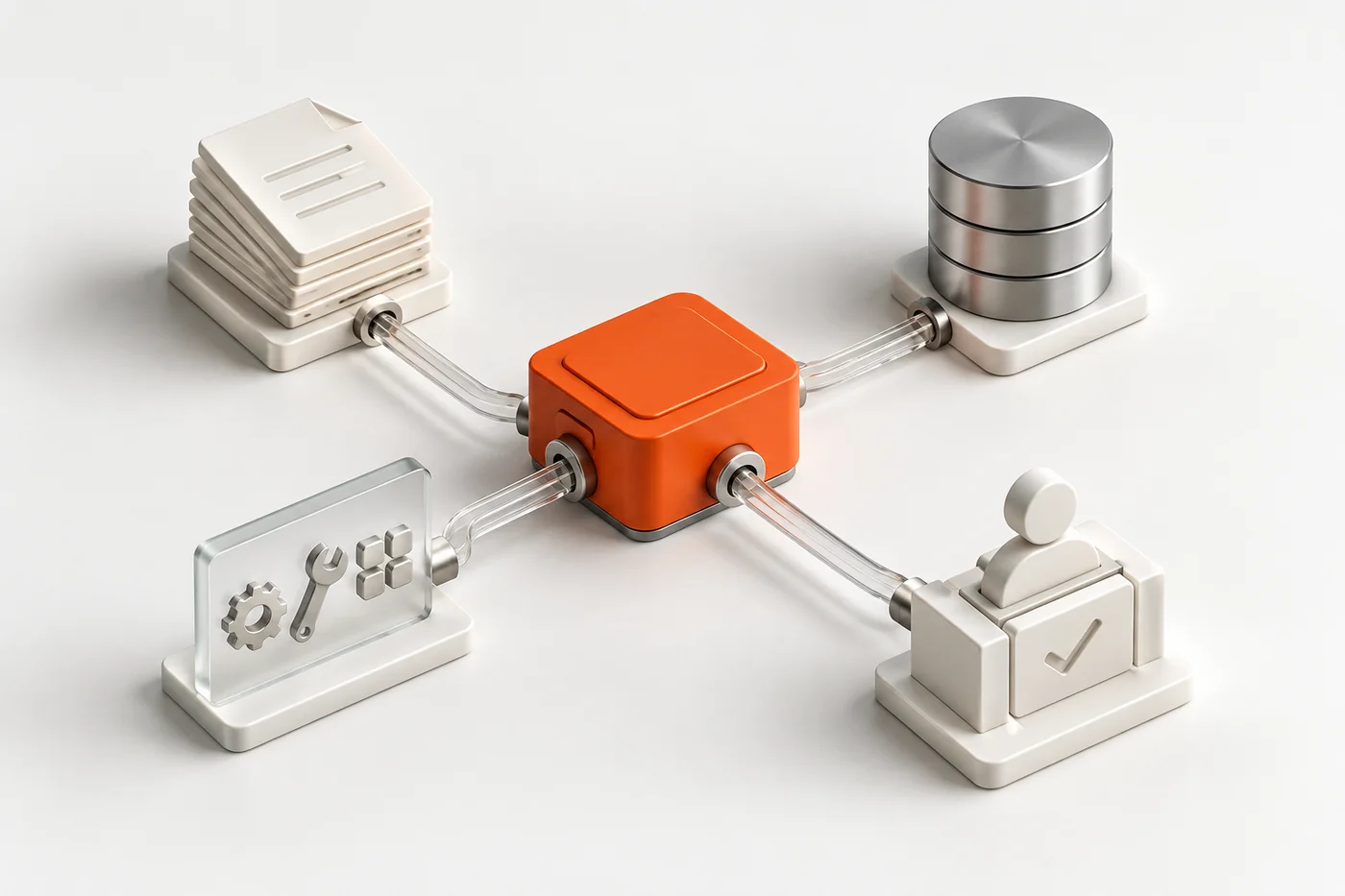
Software that plans toward a goal, decides what to do next based on context, takes actions across your tools, and adapts when something fails or escalates to a person when it should. That's different from a chatbot (answers one question), traditional automation (if X happens, do Y, no judgment involved), and a fully autonomous AI agent with no human check at all, which isn't what most businesses actually want running against real data. If a vendor's "agent" can't explain what it does when data is missing, it's an automation with better marketing.
AI Agent Development Services
ERP & Procurement
Reads RFQs, checks pricing rules and inventory, and turns a request into a quote inside NetSuite, SAP, or Odoo.
Manufacturing Operations
Watches production data and surfaces exactly what a person needs to act on.
AI Receptionist & Voice Agents
Answers and routes business calls, hands off to a human the moment confidence drops.
Customer Support Agents
Resolves tickets against your real knowledge base, integrates with Zendesk and Shopify or Salesforce, escalates with full context.
Sales & SDR Agents
Qualifies leads and books meetings against your actual pipeline rules.
Integration Services
Connecting an agent (yours or one we build) into CRMs, ERPs, and internal APIs.
AI Agents for Ecommerce Stores
Ecommerce is where we build most often: the systems are well documented and the repeat work is easy to count. If a tool you already pay for covers the job, we will say so before we quote a build.
Support agent for Shopify stores
Answers where-is-my-order, returns and address changes inside Gorgias or Zendesk, using live Shopify order data. Refunds above your limit go to a person.
Quotes and reorders for B2B and wholesale
Reads emailed RFQs and purchase orders, checks price lists and stock, and drafts the quote or order for your team to approve.
Order, stock and accounting sync
Keeps Shopify, inventory and accounting in step, and tells a person when an order and a record do not match.
Ready-made agent, or custom?
Our comparison of Gorgias, Fin, Zendesk, Shopify Sidekick and others by job, and the point where a custom agent is worth building.
Tell Us the Workflow You Want an Agent to Run
Send us three answers. On the first call we can tell you whether it is a build, a buy or a simpler automation, and what will drive the cost.
- What starts the work? An email, a form, a ticket, an RFQ or an order.
- Which systems does it touch? For example NetSuite, Shopify, HubSpot or Zendesk.
- How often does it happen, and who does it today? A rough weekly count is enough.
Bhavesh, our founder, reads every enquiry and usually replies within 2 to 3 hours.
Every AI Agent We Build
Each agent has its own page: what it does, the systems it connects to, and how we build it.
By job
Agents that take a specific job off a team.
6 agents- AI ReceptionistAnswers every call 24/7 and books into your calendar
- AI Customer Support AgentsResolves Zendesk, Gorgias and Intercom tickets
- AI SDR & BDR AgentsReplies to inbound leads, qualifies, books meetings
- AI Scheduling AgentBooking, reminders and calendar sync
- AI Marketing AgentEmail, SMS and CRM campaigns in your brand voice
- AI Chatbot DevelopmentWebsite chat that answers from your own content
Operations & ERP
Agents that work inside your back office systems.
8 agents- RFQ Automation AgentReads RFQs and drafts quotes for approval
- Procurement & Supply Chain AgentSupplier emails, PO acknowledgements, open-PO follow-up
- Manufacturing Operations AgentAnswers from ERP, CMMS and shop-floor data
- AI Workflow AutomationMulti-step processes across your tools
- AI Integration ServicesConnect AI to your CRM, ERP and apps
- AI Development ServicesCustom AI applications, retrieval and system integration
- AI AutomationLead follow-up, invoicing and reporting, automated
- AI Agent MonitoringSupport, evaluations and upkeep after launch
By industry
Agents built around one industry’s systems and rules.
10 agents- ManufacturingQuoting, ERP integration and supply chain
- HealthcareHIPAA-aware receptionists and clinical workflows
- LegalIntake, document review and practice management
- Real EstateLead response, showings and follow-up
- Property ManagementLeasing agents for AppFolio, Yardi and more
- Dental Support OrganizationsCentral answering and scheduling for every location
- RestaurantsPhone ordering straight into your POS
- Automotive DealersService scheduling and DMS integration
- Chemical & PharmaBatch records, SDS and LIMS under GxP
- Agriculture EquipmentParts lookup, fault triage and tech dispatch
How We Build
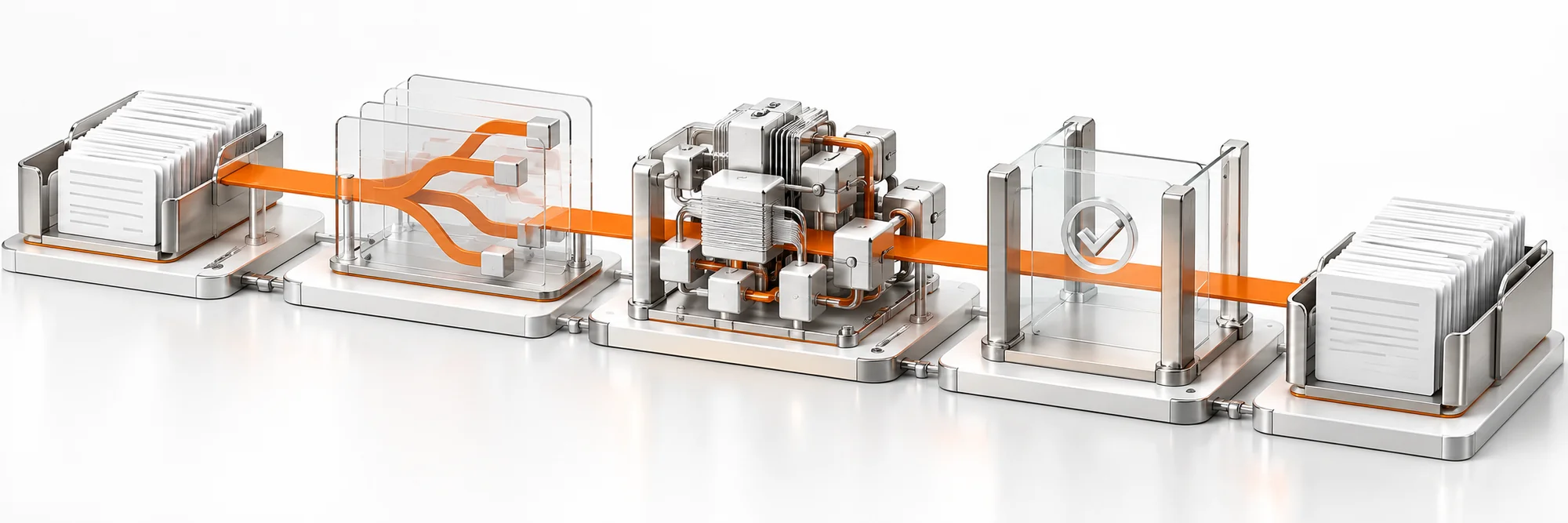
Scope
What the agent needs to decide, and where it stops to ask a person.
Architect
Decision logic and every human-approval gate designed before code.
Build
Engineering against real systems. Working software on a short cycle.
Verify
Every fact the agent states gets checked against its source before launch.
Launch
Deployed with monitoring, and a plan for when something fails.
The AI Agent We Built for Washington Law Group
A personal injury firm needed to hear about serious commercial-vehicle crashes fast. The agent reads news and police sources across all 50 states every two hours and emails the firm the crashes that qualify.
It never invents a name
An AI model pulls the facts from each article. Every name it returns is checked against the article text before it is saved. If the name is not there, it is dropped. This check has caught invented names in real runs.
Fixed rules decide, the lawyer judges
A crash qualifies only if a commercial vehicle was involved, it was fatal or life-threatening, and it is 14 days old or newer. The agent shows what a source says about fault and never uses it to filter. That call stays with the firm.
Owned by the client, run by us
The code is assigned to the firm under the agreement. FactoryJet runs and maintains the agent on a dedicated US server with named sign-in and encrypted daily backups. We publish no lead counts or revenue figures, because none have been measured yet.
AI Agent Development, Answered Directly
Real questions buyers ask, no hedging.
Q01How do I choose an AI agent development company?
AI agent development companies fall into three groups. Framework and platform vendors give you tools to build it yourself. Large consultancies run agents inside bigger enterprise programs. Specialist firms such as FactoryJet build one custom agent directly into your ERP, CRM or help desk. Pick the group that fits your team, then ask each vendor to show an agent reading and writing data in a system like yours.
Q02Who implements AI agents inside NetSuite, SAP or Odoo?
Few AI agent developers can show this working. Ask any vendor for a live demo of an agent reading and writing data inside your ERP. FactoryJet builds agents that read RFQs, check pricing rules and stock, and draft quotes inside NetSuite, SAP and Odoo. A person approves every quote before it reaches a customer. Our guide to AI agents inside NetSuite, Odoo and SAP Business One covers the integration routes.
Q03How do I hire an AI agent developer?
Give each candidate the same brief: a sample of the real work with names removed, the systems involved and the result you expect. Ask to see an agent they built reading and writing data in a system like yours. Ask who supports it after launch. Hourly billing makes the total hard to predict, so FactoryJet quotes a fixed price for an agreed scope. Our guide to hiring an AI agent developer lists the questions worth asking.
Q04Where can I compare the top AI agent development companies?
Our comparison of ten AI agent development companies links each firm's published offer and gives you one question to ask each of them in discovery. FactoryJet publishes the article and is included in it. The list is in alphabetical order and does not rank the firms. Send every firm the same workflow brief so you can compare the proposals side by side.
Q28How do I choose an agency for building an AI agent or AI employee?
Pick the agency that can show a working agent in a system like yours and say what it may do without a person. AI employee is a name some vendors use for an agent given one job role, so the checks are the same. OWASP's 2025 top 10 risks for apps built on large language models include excessive agency (LLM06), with three root causes: excessive functionality, permissions and autonomy. Ask each agency how it limits all three and who owns the code. Every agent FactoryJet builds has a human approval step wherever a wrong decision would cost money.
Q29Is there a small agency that builds with AI agents?
Yes. FactoryJet is a specialist firm, founded in 2014, where Bhavesh, our founder, reads every request and usually replies within 2 to 3 hours. We build custom AI agents into the systems you already run, such as NetSuite, Odoo, HubSpot, Zendesk and Shopify. A person approves anything that matters, and you own the code. We work with US clients remotely, so choose a local firm if you need people on site every week. Our guide to AI agent development companies for small business describes other developers and platforms from their own websites.
Q30I need to hire an AI agents expert. Who should I contact?
Contact a mentor for advice, a freelancer for one small task, or a development firm for an agent built into your systems. MentorCruise listed 85 agentic AI experts on October 9, 2026 and says fewer than 5% of applicants are accepted. Freelancer.com lets you post a project for free and compare bids. For a build with support after launch, send FactoryJet the form on this page. Bhavesh, our founder, usually replies within 2 to 3 hours. Our guide to hiring an AI agent developer has a 10-point vetting checklist for whichever you pick.
Q05What is an AI agent development company?
An AI agent development company designs and builds software that uses an AI model to plan and complete multi-step work inside your business systems, such as an ERP, CRM or help desk. The work covers scoping the job, connecting the systems, setting permissions and approval steps, testing on real examples, and supporting the agent after launch. FactoryJet is an AI agent development company serving US businesses.
Q06What is agentic AI development?
Agentic AI development means building AI systems that plan and act across several steps on their own, where a basic AI tool only replies to one prompt. In practice it is the same work most people mean by AI agent development, and buyers use the two terms interchangeably. The design question is how much the model may decide alone and where a person must approve.
Q07What is the difference between AI development and AI agent development?
AI development is the broad category: any custom AI system, including chatbots, recommendation engines and analytics tools. AI agent development is one type of it. The system plans and takes multi-step actions on its own, with a human checkpoint where a wrong decision would be costly.
Q08What is the difference between an AI agent and a chatbot?
A chatbot answers one message at a time from a script or a model. An AI agent plans across several steps, decides what to do next from context, and takes real actions in your systems, such as updating an order or drafting a quote for approval.
Q09Is ChatGPT an AI agent?
ChatGPT is a general AI assistant. In a normal chat it answers one prompt at a time, and its agent features can browse the web and complete some tasks for you. A custom AI agent for a business is connected to your own systems, such as your ERP, CRM or help desk, and it follows your rules, permissions and approval steps. That connection is the difference that matters.
Q10What is an autonomous AI agent?
An autonomous AI agent plans and acts without a person approving each step. Other agents pause for sign-off at set points. Full autonomy sounds impressive, but most businesses do not want it running against live inventory, pricing or customer data. Every agent FactoryJet builds has a human approval step wherever a wrong decision would cost money.
Q11How do you keep an AI agent from making things up?
Every fact an agent we build reports is checked against its source before it is used or sent anywhere. If a name, number or detail cannot be verified, the agent holds it and flags it for a person. On one agent we run in production, this check has caught and dropped invented names in real runs.
Q12How much does it cost to build a custom AI agent?
As a market reference, development firm ProductCrafters puts 2026 custom AI agent builds at about $5,000 to more than $180,000. The price depends mostly on how many systems the agent has to read and write to and how many edge cases it must handle. The AI model is a small part of it. FactoryJet quotes a fixed price after one call, and a narrow pilot is the cheapest way to learn what a full build needs.
Q13What changes the cost of AI agent development services?
Four things move the price: the number of systems the agent connects to, whether it only reads or also writes, how many exceptions it must handle, and how much testing the risk calls for. An agent that drafts a quote for a person to approve costs far less than one allowed to create orders in your ERP. The AI model itself is rarely the main cost.
Q14How long does it take to build an AI agent?
A pilot on one narrow workflow usually takes two to four weeks. A production agent with permissions, logging, approvals and monitoring usually takes six to twelve weeks. Timelines stretch when the agent touches several systems, or when the rules have many edge cases that need testing on real examples.
Q15How much does it cost to run an AI agent each month?
Running costs cover model usage, hosting and any support plan. Model calls are often the smallest part. Our AI agent cost guide works through a support agent handling 2,000 tickets a month and puts them at about $22 to $112 a month on Anthropic's September 2026 prices. As a market reference, ProductCrafters puts hosting for a custom build at $500 to $10,000 a month. Support and monitoring are quoted separately.
Q31What are affordable agentic AI systems for small and mid-sized businesses?
The affordable ones are ready-made products you rent by the seat or by the outcome. On October 9, 2026, Lindy listed plans from $29.99 to $199.99 a user a month, and Intercom listed its Fin support agent at $0.99 per outcome. Development firm ProductCrafters puts per-seat agent products at $20 to $500 a user a month and custom builds at about $5,000 to more than $180,000. Rent first if a product already connects to your tools. Build when the work follows your own rules across several systems. Our guide to AI agent development companies for small business covers both routes.
Q32What is the best AI agent hosting under $5 a month?
No host is best for every agent, and under $5 a month buys a small server. On their pricing pages on October 9, 2026, Vultr listed plans at $2.50 (IPv6 only) and $3.50 a month, AWS Lightsail at $3.50 (IPv6 only) and DigitalOcean at $4, each with half a gigabyte of memory. That runs a small script calling an AI model over an API, with model usage billed separately. A built agent starts where hosting stops: connections to your systems, permissions, testing and monitoring. On our builds, hosting can sit in your cloud account at cost while we manage it.
Q16Should I build or buy an AI agent for customer support?
Buy if your support work is standard: FAQs, order status and simple triage. Products such as Zendesk AI and Intercom Fin already handle that well. Build if your workflow depends on internal systems or rules a general product cannot follow. FactoryJet will tell you which route fits before quoting anything.
Q17Can I build my own AI agent?
Yes. Most do-it-yourself agents start with a framework such as LangGraph, CrewAI or AutoGen, or a builder such as n8n or Microsoft Copilot Studio. You connect your data and tools, write the logic for each step, and add guardrails for what the agent may not do without a person. The first working demo is the easy part. Holding up against messy production data for months is the hard part, and no framework does that for you.
Q18Should we use an AI agent builder or hire a development company?
Use a builder if your engineers can own security, integration and maintenance long after launch. Hire a development company if you want a working agent connected to your real systems without staffing that as ongoing work. The framework is free or cheap either way. Integration and the months of maintenance after launch are what cost money, whichever route you pick.
Q19Can AI agents be built for free?
The frameworks are free or close to it. LangGraph, CrewAI and AutoGen charge no license fee. AI model usage still costs money and grows with volume. So does the engineering time to build and test the logic, and the maintenance once the agent is live. Free to build usually means free to start a demo. A production agent that people rely on has running costs.
Q20Do you offer agentic AI consulting, or only development?
Both. Some engagements start as agentic AI consulting: we scope what should be built, and whether it should be built at all, before any development starts. We would rather tell you a workflow is not worth automating than build something you do not need.
Q21How is an AI agent developed?
In five steps. Scope: agree what the agent decides and where it stops to ask a person. Architect: design the decision logic and every approval gate before any code. Build: engineer against your real systems in short cycles. Verify: check every fact the agent states against its source. Launch: deploy with monitoring and a plan for failures. FactoryJet follows these five steps on every build.
Q22Who supports and monitors an AI agent after launch?
Many AI agent vendors stop at delivery. We stay on after launch if you want us to. We watch accuracy, update prompts and models when your prices or policies change, and run a clear process when something fails. An agent that nobody watches gets worse quietly, and you usually find out from a customer.
Q23Can you build an AI customer support agent for my Shopify store?
Yes. It answers where-is-my-order, return and address-change tickets inside Gorgias or Zendesk, using live order data from Shopify and tracking from your carrier. Refunds or credits above a limit you set go to a person with the details attached. If Gorgias AI Agent or Intercom Fin already covers your queue, we will tell you to switch that on first, because it is faster than any build.
Q24Which systems can your AI agents connect to?
ERPs such as NetSuite, SAP Business One, Odoo and Microsoft Dynamics 365. CRMs such as HubSpot and Salesforce. Help desks such as Zendesk, Gorgias, Intercom and Freshdesk. Commerce platforms such as Shopify, Shopify Plus and BigCommerce. Plus email, Slack, spreadsheets and anything with an API. If a system has no API, we look at file exports or a read-only database link and agree that route with your IT team first.
Q25What do I own after the project ends?
Everything we build for you: the code in your own Git repository, the prompts, the test sets, the connectors and the documentation. The agent can run in your own cloud account or on a dedicated server we manage for you. You pay model providers such as Anthropic or OpenAI directly, and there is no per-agent license fee from us. You can keep us on for support, bring the work in-house, or hand it to another team.
Q26What do you need from us to scope an AI agent?
Three answers. What starts the work: an email, a form, a ticket, an RFQ or an order. Which systems it has to read or update. And roughly how often it happens and who does it today. Ten or so real examples with names removed, such as recent RFQs or tickets, let us give you an honest answer on the first call, including whether an agent is the right tool at all.
Q27Do you build AI agents for B2B and wholesale ecommerce?
Yes. The common ones read emailed RFQs and purchase orders, check customer price lists and stock in NetSuite or Odoo, and draft a quote or order for your team to approve. On Shopify Plus B2B stores they can also answer account and reorder questions from live data. A person approves anything that commits price, stock or credit.
Tell Us the Workflow, We'll Tell You the Truth
Tell us the workflow you want an agent to run and the systems it touches. We'll tell you honestly whether that's a build, a buy, or something in between, before you spend anything. Bhavesh, our founder, reads every enquiry and usually replies within 2 to 3 hours.